Lesson 15 of 23
Choose from the glass library
Over a hundred glasses, from clear textures to streaky, fracture-streamer and pressed jewels, seen in light.
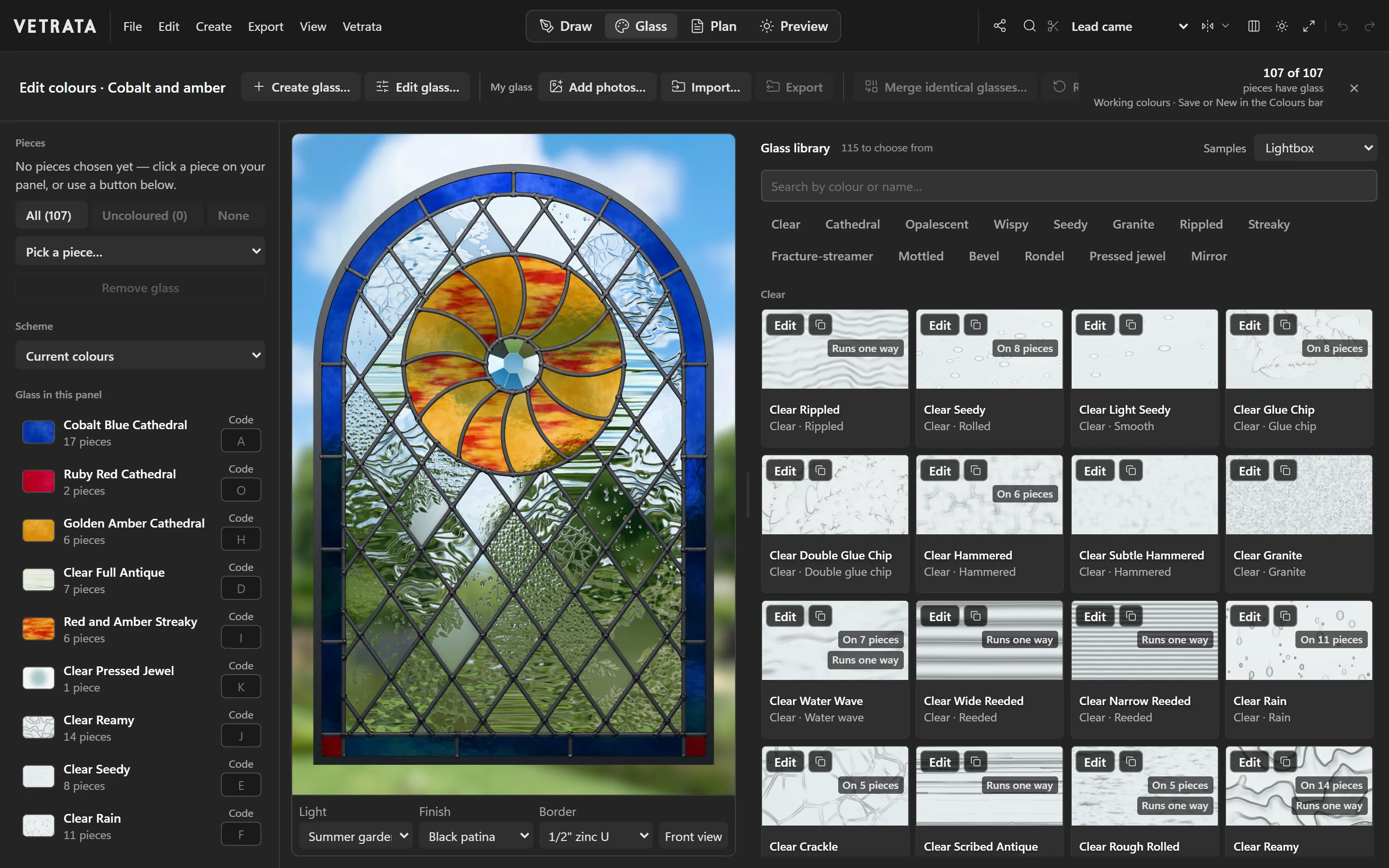
The Glass tab puts the whole panel in light beside the library, so every glass is chosen by how it looks in the window, not on a swatch.
-
1
Open the Glass tab
Click Glass at the top. On the left are the panel's pieces and the glass already in it, in the middle the window in light, and on the right the library.
-
2
Choose the pieces
Click pieces on the window, or use All, Uncoloured or Pick a piece…. Then click a glass in the library to glaze them.
-
3
Find a glass
Search by colour or name, or pick a family: Clear, Cathedral, Opalescent, Wispy, Seedy, Granite, Rippled, Streaky, Fracture-streamer, Mottled, Bevel, Rondel, Pressed jewel or Mirror.
Samples shows each glass on a light box or on paper.
-
4
Mind the grain
A glass marked Runs one way has a direction, like a streaky or reeded sheet. Give its pieces a grain angle, and the cutting pattern prints an arrow on each.
-
5
Codes for the plan
Under Glass in this panel, every glass has a code. The plan letters each piece with its glass's code, and the colour key lists them.
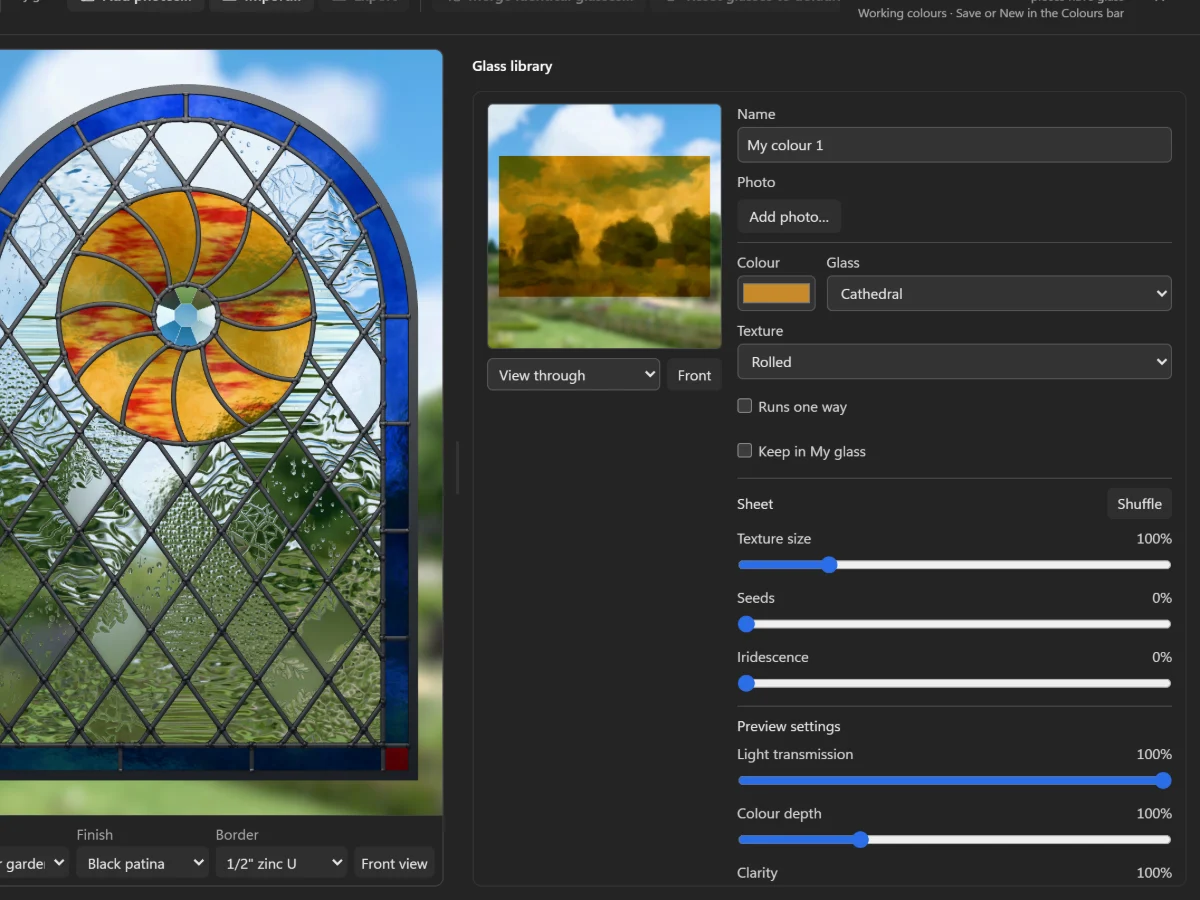 Glaze pieces
More in Glass
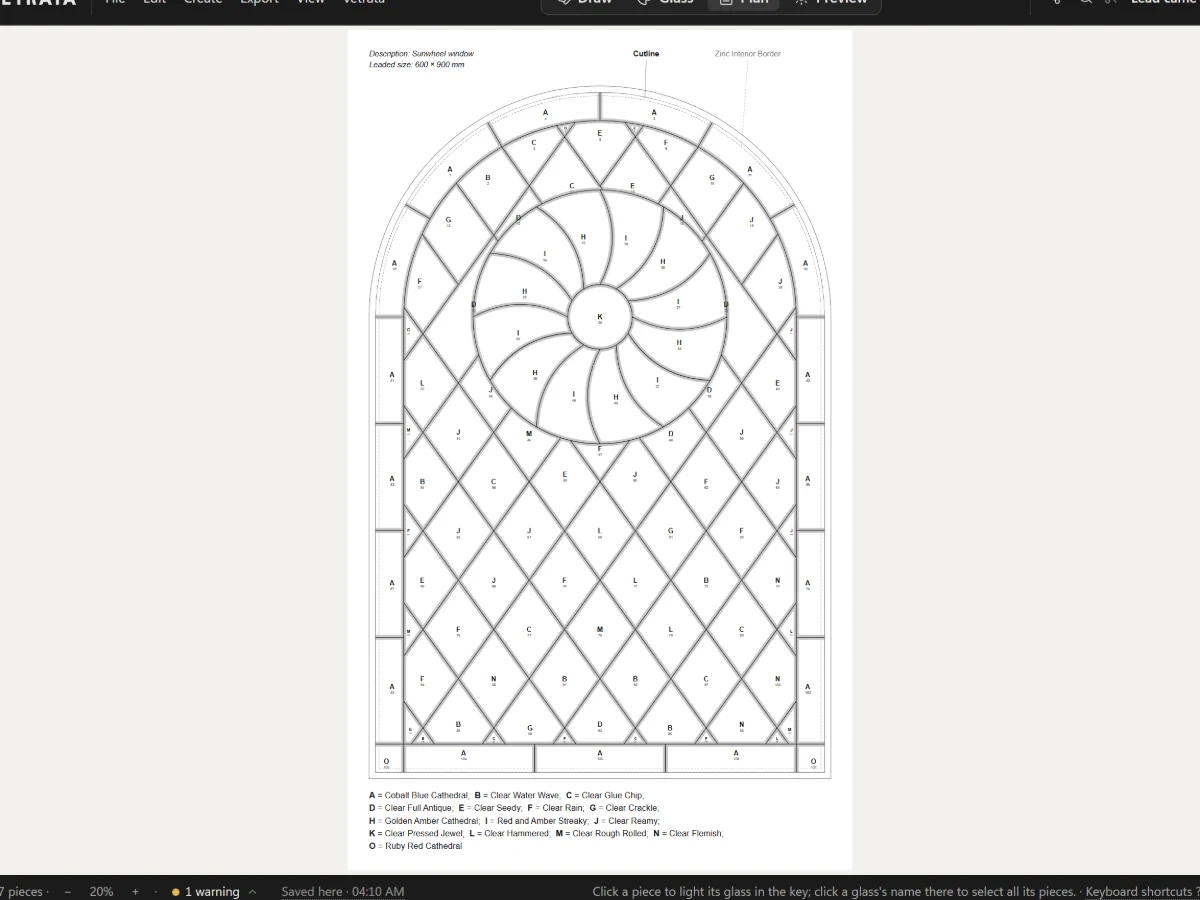 Plan and print
The pattern plan and its colour key
A numbered, lettered plan of the whole panel with its leads at their came's width, ready to print.
5 steps · 2 min
Plan and print
The pattern plan and its colour key
A numbered, lettered plan of the whole panel with its leads at their came's width, ready to print.
5 steps · 2 min
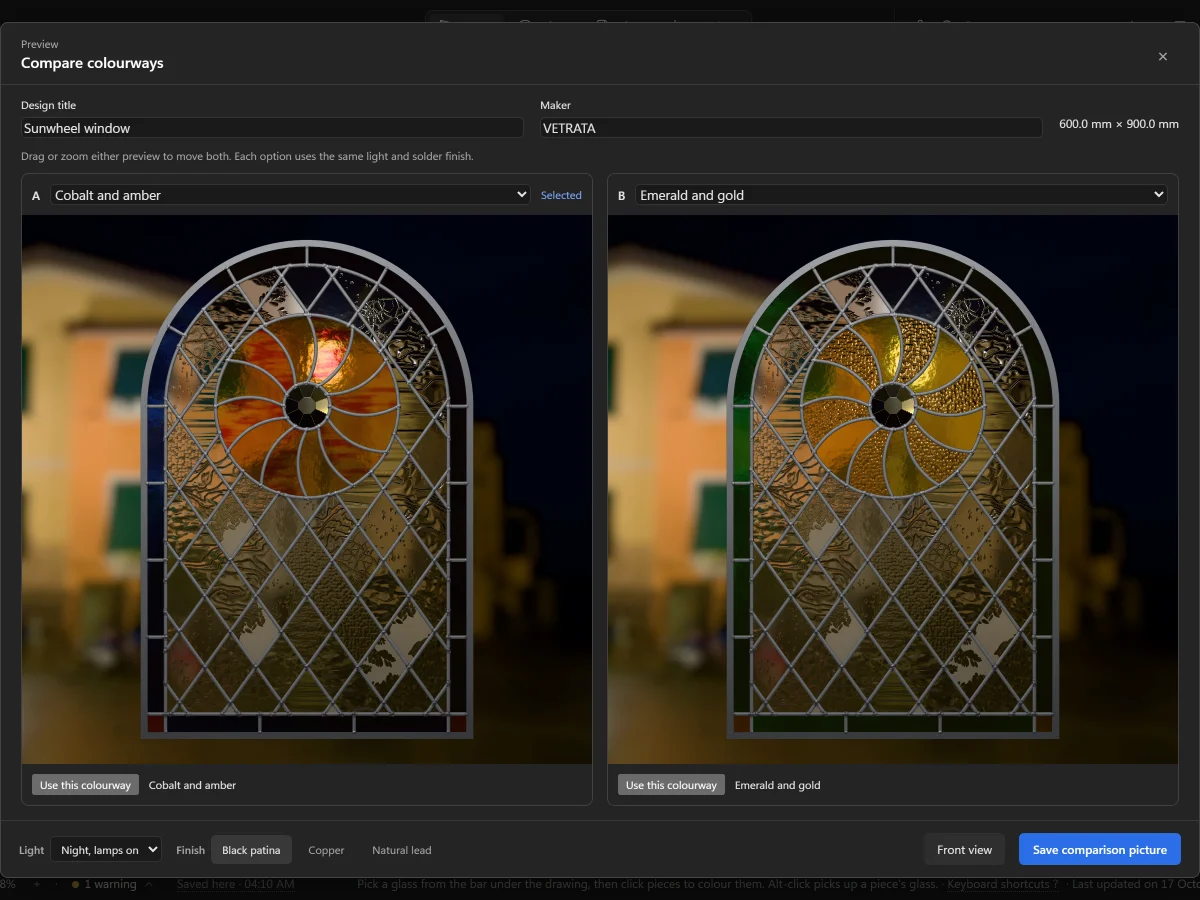 Glass
Keep colourways side by side
Save more than one choice of glass for a pattern, switch between them, and compare two in the same light.
4 steps · 2 min
Glass
Keep colourways side by side
Save more than one choice of glass for a pattern, switch between them, and compare two in the same light.
4 steps · 2 min